


Listen AI: Text to Speech
4.41.42K Reviews
App Specs
- Version
- 2.5.5
- Updated On
- License
- Free
- Downloads
- 5,000,000+
- Developer
- Deep Flow Apps
- Categories
- Productivity
- Platform
- Android, iOS
Screenshots


 Analysis by AppCompare
My most useful test of a reading app is not whether it can speak a sentence, but whether it helps me get through material I would otherwise leave unread. I’ve been looking at Listen AI: Text to Speech with that in mind: as a way to turn documents and reading into something that can fit around the rest of a day. It comes from Deep Flow Apps and sits in the productivity space, where the real value is less about novelty and more about whether a listening habit is easy to maintain.
Start with a listening plan, not a pile of files
Text-to-speech works best when it has a clear job. I would not send every document I own into an app and hope the backlog somehow disappears. Instead, I’d choose one useful category first: a work report that needs a second pass, a chapter for study, or a long article I want to understand without staring at another screen. That small boundary makes it easier to decide what to listen to and when.
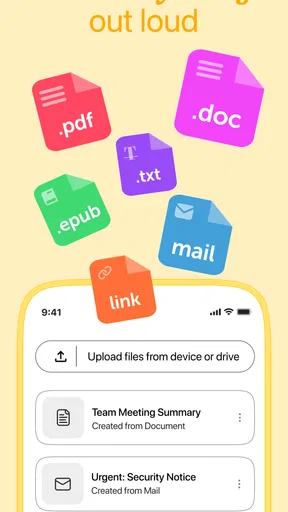
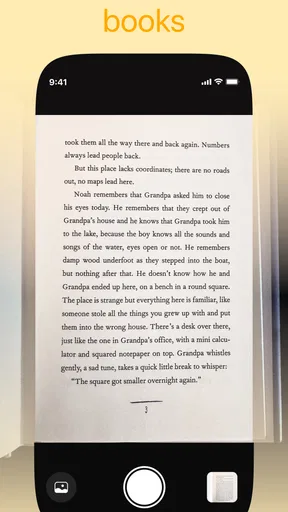
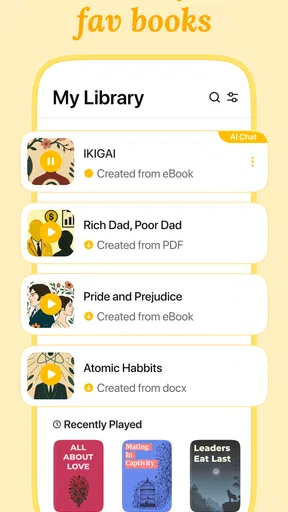
Listen AI is aimed at turning reading material into audio, including PDFs, books, web content, and documents. That breadth is handy, but it also makes choosing a workflow important. A short article can fit into a walk; a dense report may need a quiet block of time and occasional pauses. I find it useful to ask whether a piece is suitable for listening before importing it. Tables, diagrams, footnotes, and carefully arranged page layouts can be harder to follow by ear than straightforward prose.
The app is free to install, though in-app purchases are available, ranging from $4.99 to $129.99 per item. I’d treat the free entry point as a chance to see whether listening fits my routine before considering any purchase. Its Everyone age rating makes it broadly accessible, but that does not mean every feature or reading workflow will suit every person. The right test is a real document you already need to read, not an imaginary perfect use case.
Making listening part of a practical routine
I find a listening habit works best when it has a small, repeatable place in the day rather than becoming another task to manage. In this section, I’d focus on choosing a regular moment and a manageable piece of reading, then notice whether that routine actually helps me return to material I might otherwise postpone. From there, it becomes easier to judge where listening fits—and where a different reading tool makes more sense.
Capture material with a purpose
The app’s core appeal is that it can take text you would usually read and make it available to listen to. In practice, I’d keep the source and the listening session connected: decide what the document is for, listen with that goal in mind, and make a note afterward if it contains anything that needs action. Audio can help me get through material, but it is not automatically a replacement for organizing the material itself.
A useful, slightly less obvious approach is to separate “first exposure” from “careful review.” I might listen to a chapter while doing a low-attention task to get the shape of the argument, then return to the original text for a quotation, figure, or passage I need to study closely. That division uses audio for orientation and printed text for precision, instead of expecting one format to do both jobs equally well.
Worth Reading Before You Choose

EA SPORTS FC Mobile 26 Is a Bigger Football Game, but It Takes Time

Flipboard Shows What News Apps Must Do Beyond the Feed

Switching to Android Auto Means Rethinking Your Driving Routine

Google Calendar Makes a Crowded Week Easier to Manage

Ludo King Makes the Most of the Minutes Between Plans

Baby Panda World Brings Quick Play to Modern Phones, but Its Game Library Feels Busy
For web reading, I’d also avoid collecting links indiscriminately. A quick check of the page before starting can save a frustrating session if it is mostly navigation, captions, or other elements that do not read naturally aloud. When the material is a clean article, listening can be a welcome alternative to scrolling; when it depends on visual context, reading on screen may be faster.
Build a repeatable listening habit
My preferred routine would be modest: pick one item, choose a setting that makes speech easy to follow, and attach the session to a regular part of the day. A commute as a passenger, a walk, or household chores can work well, as long as the task does not demand close attention. I would not use spoken documents while driving or doing anything where listening could distract me from safety.
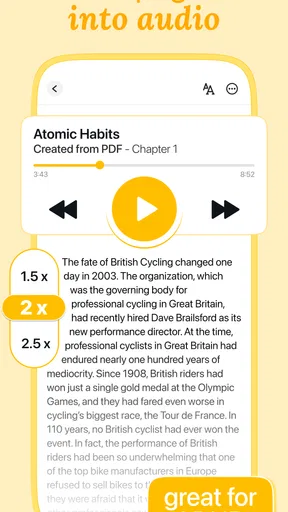
Voice speed is a personal trade-off rather than a setting to maximize. Faster playback can help with familiar, simple prose, but it can make unfamiliar names, technical terms, and layered explanations blur together. Slowing down is sensible for complex material, while a more natural pace may work better for a light article. I’d change the pace based on comprehension, not on how quickly I can finish a file.
Voice choice matters for the same reason. A voice that sounds pleasant for a short passage may become tiring over a longer session, so I’d test a few options with the kind of material I actually listen to. A calm delivery may be easier to follow for study, while a more energetic one might suit casual reading. The goal is a voice that fades into the background without making the content feel flat.
What the listening experience does well
Right off the bat, the Listen AI: Text to Speech app has a super clean and intuitive interface. I didn’t have to spend ages figuring out where everything was, which is a massive plus in my book. You know that feeling when you open an app and just get it? That’s exactly what happened here.
The color scheme is easy on the eyes, and the buttons are clearly labeled. Navigating through the app is a breeze, even for those who might not be the most tech-savvy. It’s designed in a way that makes using it feel natural, which is something I really appreciate.
Useful controls, with a purpose
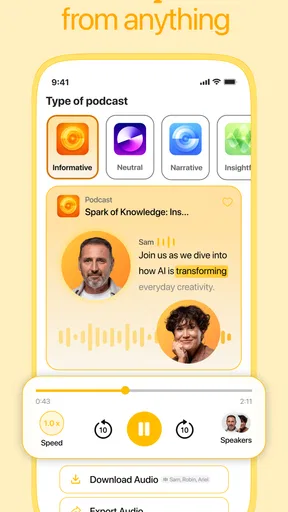
Let’s talk features, because this app has a few that are genuinely impressive. First up is the array of voices it offers. You’re not just stuck with one monotonous voice; instead, you’ve got options ranging from upbeat and cheerful to calm and soothing. It’s like having a whole cast of characters ready to read your text aloud.
The voice customization doesn’t stop there. You can adjust the speed and pitch, which is perfect for tailoring the voice to your specific needs. Personally, I found the ability to slow down the speech super helpful when I needed to follow along with complex information.
One practical tip is to adjust one control at a time. If a passage feels hard to follow, I’d first slow the reading slightly; if the voice still feels uncomfortable, I’d try another voice rather than changing several settings at once. That makes it easier to tell what actually improved comprehension. It also prevents a common frustration with audio tools: spending more time tuning playback than listening.
There is a trade-off in any adjustable voice system. A setting that helps with one document may not be ideal for another, and no voice can make dense or poorly structured writing effortless. For a long session, I’d favor comfort and clarity over a dramatic-sounding voice or maximum speed. That keeps the app in service of the reading, instead of turning customization into the main activity.
Documents, everyday scenarios, and useful checks
In terms of performance, this app is solid. It converts text to speech quickly, and I didn’t experience any lag or crashes during my testing. You can easily paste text into the app, or even better, upload documents directly. This feature is a game-changer for those who have loads of content to get through.
I also tried using it with various document formats, and it handled them like a champ. Whether it was a PDF, Word document, or plain text file, the app quickly processed the text and started reading it back to me without a hitch.
A realistic workday example is a report arriving late in the afternoon. I could listen to it while preparing dinner, using the first pass to identify the sections that deserve a closer look. Then I’d open the relevant pages later and verify the details visually. That division is more dependable than treating audio as a perfect substitute for checking a document, especially if the report includes figures or formatting that carry meaning.
For a student, the same approach can make assigned reading easier to schedule: listen to a section during a walk, then revisit important definitions or passages with the text in front of you. For someone learning a language, hearing speech can complement reading, but it should not be mistaken for a complete language course. Audio gives an example of pronunciation; it does not, by itself, explain vocabulary, grammar, or context.
When a file does not read as expected, I’d check the source before blaming the voice. A PDF may have a layout that is awkward for spoken reading, or the content may rely on visual elements. Trying a cleaner version of the document, or copying a focused passage when that is practical, can be a better fix than repeatedly adjusting pitch and speed. This is one reason I would start with a short sample before committing to a long listening session.
Where it fits among other reading options
Now, you might be wondering: when would I use this app? Well, it’s perfect for multitasking. Imagine cooking, exercising, or even just relaxing while catching up on your reading. It’s also great for language learners who want to hear pronunciation in real-time.
For those of us with busy schedules, having the ability to listen to articles, emails, or educational material on the go is invaluable. Plus, it’s a fantastic tool for accessibility, ensuring that everyone can access text content effortlessly.
Compared with a built-in screen reader, a dedicated text-to-speech app can feel more suited to turning reading material into a listening session, rather than navigating every part of a device interface. A screen reader is usually the better choice when the main need is operating the phone without relying on the screen. A general audiobook service, meanwhile, is often more convenient when the book is already available in a professionally narrated edition. Listen AI makes the most sense when the material is text you already have and want to hear.
It also differs from simply reading aloud yourself: the app can give your eyes a break and let you keep moving through suitable prose, but it cannot respond to confusion or emphasize an argument the way a human tutor might. If I’m reading a contract, a medical instruction, or anything where a missed phrase could matter, I’d use audio as a first pass at most and verify the wording on screen. Convenience should not replace careful attention when accuracy is important.
Friction to expect before relying on it
Listening is not always more efficient than reading. I can scan a page quickly to find a heading or a specific sentence; spoken audio moves in sequence, so that kind of search can be slower. It is also easy to lose the thread if I start a document during a task that competes for attention. For focused study, I’d choose a quiet moment or keep the original text nearby rather than assume multitasking will improve concentration.
Another limitation is that document conversion and understanding are separate things. Even if a file starts reading promptly, its structure may not translate neatly into speech. Lists, abbreviations, tables, and page breaks can interrupt the flow. I’d sample a few paragraphs from any unfamiliar file first, then decide whether to continue, find a simpler source, or switch back to reading. That quick check is especially worthwhile before planning a long session around a document.
The app is listed at a 4.4 average from around 92,000 ratings, with over 5 million installs, and its current version is 2.4.0. Those figures suggest it has reached a substantial audience, but they do not tell me whether it will suit my own voice preferences or reading materials. I’d still judge it by how it handles the files I use and whether I return to it after the first few sessions. It is free to get started, while optional purchases are priced from $4.99 to $129.99 per item, so I’d check the purchase details in the app before paying for anything.
Who is likely to get the most from it?
I’d recommend trying Listen AI if you already have text-heavy material and often wish you could read it away from a screen. It is a particularly sensible fit for people who want to review articles, documents, or study material during suitable low-attention parts of the day. Its simple interface and adjustable speech make it approachable for someone who wants to begin listening without first building a complicated system.
I’d be more cautious if your reading is mostly visual, if you need a screen reader to navigate your whole device, or if you rely on precise scanning and annotation. In those cases, a built-in accessibility tool, a conventional reading app, or the original document may be a better primary option. People who prefer human narration for books may also find a dedicated audiobook service more satisfying when that format is available.
Listen AI is a productivity app developed by Deep Flow Apps, and it is free to install for users whose device runs Android 7.0 or later. I’d see it not as a cure for a crowded reading list, but as one practical route into material that otherwise gets postponed. If you choose documents deliberately, make listening a repeatable part of your week, and return to the page when detail matters, the app can earn a useful place in your routine.
My final take
Wrapping it all up, Listen AI: Text to Speech is a pretty nifty app. It’s user-friendly, packed with customizable features, and performs reliably. Whether you’re looking to enhance productivity, accessibility, or simply want a hands-free way to consume content, this app has got you covered.
So, if you’re on the hunt for a text-to-speech app that won’t let you down, give Listen AI a try. You might just find it’s the tool you didn’t know you needed!
Pros
- Wide variety of voice options.
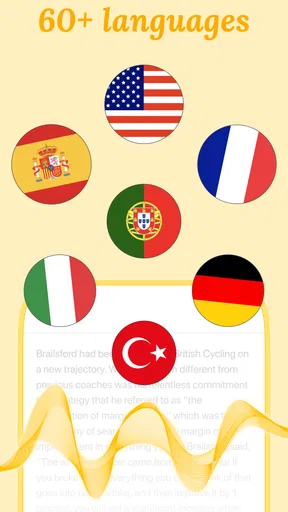
- Supports multiple languages.
- Easy to navigate interface.
- Customizable speech speed.
- High-quality audio output.
Cons
- Requires internet for full features.
- Limited offline functionality.
- Some voices need premium.
- Occasional pronunciation errors.
- No integration with certain apps.
FAQs for Listen AI: Text to Speech
What is Listen AI: Text to Speech and how does it work?
Listen AI: Text to Speech is an innovative application designed to convert written text into spoken words using artificial intelligence. It offers a variety of voice options and languages, providing a natural and realistic listening experience. Users simply input or upload text, and the app generates high-quality audio output, making it ideal for multitasking or accessibility.
Is Listen AI: Text to Speech free to use, or does it have any in-app purchases?
Listen AI: Text to Speech offers a free version with essential features. However, for advanced functionalities such as additional voice options, offline usage, and higher quality audio, users may need to make in-app purchases or subscribe to a premium plan. Pricing details are available within the app or on its download page.
What are the key features that set Listen AI: Text to Speech apart from other similar apps?
Listen AI: Text to Speech distinguishes itself with its high-quality, natural-sounding voices and extensive language support. It includes customization options for adjusting speech speed and pitch, and offers a user-friendly interface. Integration with other apps and the ability to save and share audio files are additional features that enhance its appeal.
How secure is my data when using Listen AI: Text to Speech?
The app prioritizes user privacy and data security. It employs encryption for data protection and does not store personal information beyond what is necessary for app functionality. Users are encouraged to review the privacy policy for detailed information on data handling practices and are advised to ensure their app is always updated to the latest version.
Can Listen AI: Text to Speech be used offline, and what are the limitations if any?
Offline usage of Listen AI: Text to Speech is available, but it may require a premium subscription. While offline, users can still convert text to speech using previously downloaded voices and languages. However, access to real-time updates or additional voice options might be limited without an internet connection.


